⏰ Clock It Emoji — Meaning & Copy
Alarm Clock · Unicode U+23F0 · page updated November 04, 2026
What the clock it emoji means
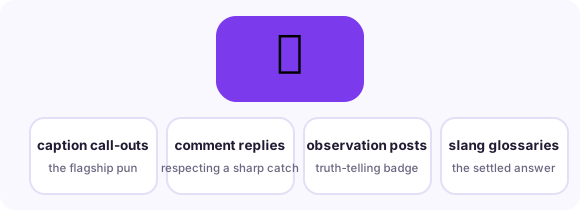
"Clock it" is slang for notice it, call it out, say the quiet part loud - to "clock" something is to spot what others missed. The emoji attached to the phrase is ⏰, the twin-bell alarm clock, chosen purely for the wordplay: a clock that rings is the visual pun for a truth that rings out. Searches for "clock it emoji" are almost always people who saw ⏰ (or occasionally 👁️ or ⌚) used this way in a caption or comment and want to know which symbol to copy. The honest answer: ⏰ is the emoji the phrase settled on, and it carries no alarm-anxiety meaning in this context - it is pure wordplay.
When people use it — three real scenarios
Call out a hidden truth
The flagship use: someone names the subtext everyone sensed but nobody said, and ⏰ punctuates the reveal.
Caption a sharp observation
On TikTok and X, observation videos get captioned with the phrase plus the emoji as a badge of perceptiveness.
Hype someone's perceptiveness
Replying ⏰ to a sharp comment means 'you clocked that' - respect for seeing it first.
Combinations that read like a sentence
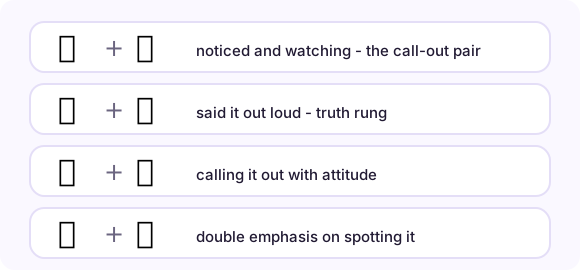
Emoji stack into phrases. These pairs (and the full strings you can copy from each row) are the combinations real conversations settled on:
How it renders on different platforms
The alarm clock renders with two bells and ringing lines on most platforms; Apple draws them visibly, some Android skins more subtly. Because the phrase's meaning is entirely slang, the emoji itself stays literal - there is no vendor difference that changes the reading. Avoid confusing it with ⌚ (watch, U+231A) in this context: watch-face reads as time or style, while ⏰ in a comment section is near-always the "clock it" pun. In professional or older-audience contexts, spell the phrase out; the pun is dialect, not universal.
Copy it anywhere in three steps
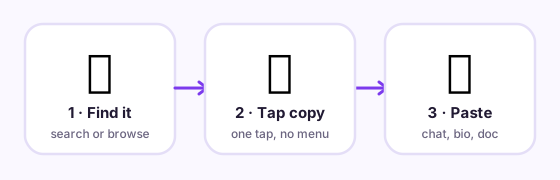
On this page, tap the big button under the emoji and it is in your clipboard. In any message app, long-press the text field and choose Paste. On desktop, Ctrl/Cmd+V pastes it wherever a cursor blinks - chat, document, bio field, spreadsheet. The emoji travels as a text character, so it adopts the recipient's platform style automatically: send from an iPhone to a Android phone and the Android user sees Android's drawing. Nothing to install, no sticker packs, no image files.
Related pages
🕐 Clock emoji 📋 Copy-paste table 📖 All meanings
Frequently asked questions
What emoji is used for "clock it"?
⏰ Alarm Clock (U+23F0) is the settled choice - a pun on "clock," meaning to notice or call something out. Some users pick 👁️ or ⌚, but ⏰ is what the phrase standardized on.
Does ⏰ mean something romantic?
Not in the "clock it" usage - it is about perception, not romance. A clock emoji in flirting contexts usually means waiting on a reply, which is a different sentence entirely.
How do I copy the clock it emoji on a phone?
Tap the big copy button at the top of this page, or tap the emoji itself in any grid here - it lands in your clipboard instantly, ready to paste into any message, bio or document.
What is the Unicode for clock it emoji?
Alarm Clock is U+23F0 in Unicode. Copying copies the character itself - no image, no sticker - so it renders in the recipient's own font.